Find the Root Cause of ML CI Failures in Minutes with Gemini 3.5 Flash
Debugging a broken ML training pipeline is slow, tedious work. You pull logs from two different CI runs, diff them against golden values, dig through commit history to find the regression, and then write up a report explaining what went wrong and why, all while your team waits. This use case automates that entire investigation.
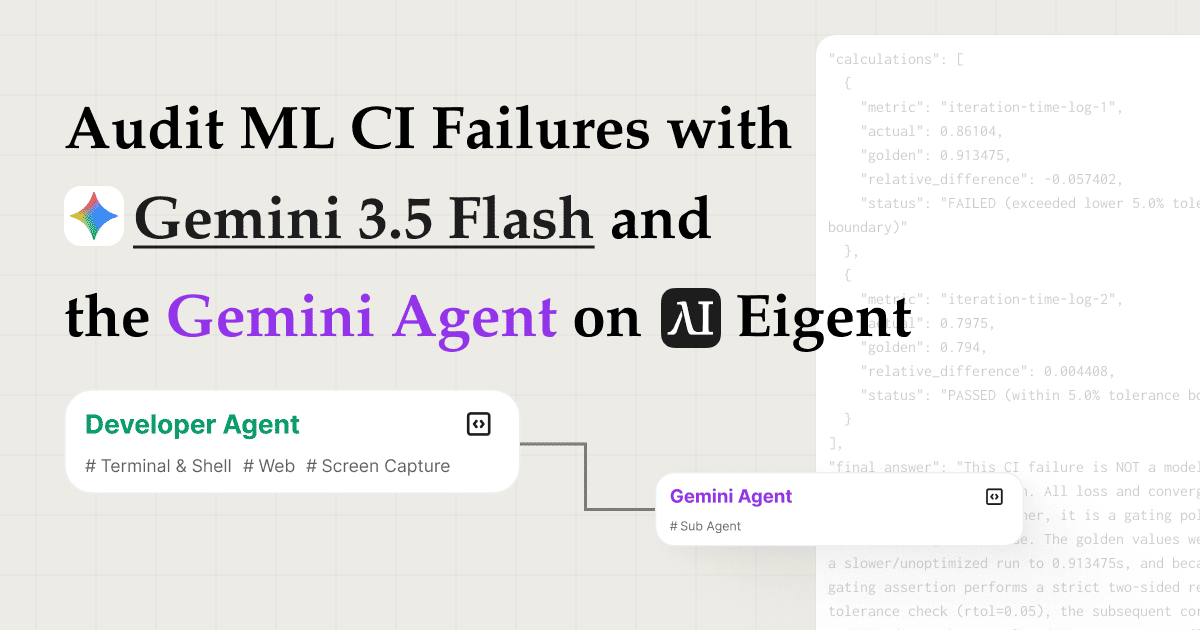
By combining the ml-failure-audit skill with Google's Gemini 3.5 Flash model and the Gemini Agent API as a remote reasoning engine, Eigent's multi agent workforce can audit a CI failure end to end: fetching logs, extracting reference values, tracing evidence, delegating the heavy analysis, and producing structured deliverables, all from a single prompt.
Select Gemini 3.5 Flash as Your Model
Go to Settings → Agents → Model and select Gemini 3.5 Flash from the cloud model list. If you prefer to use your own API credentials, bring your own Gemini key by entering it under Settings → API Keys → Gemini.
Gemini 3.5 Flash is optimized for fast, cost effective inference on long context tasks, exactly what CI log analysis demands.
Enable the Gemini Agent API as a Remote Sub Agent
Go to Settings → Agents → Remote Agents and toggle on the Gemini Agent API. This registers the Gemini Agent as a callable sub agent inside Eigent's workforce.
Once enabled, your Developer Agent can hand off computationally intensive reasoning tasks, like root cause analysis across hundreds of log lines, directly to the Gemini Agent, instead of processing everything in a single model call. This gives you a two tier setup: Eigent's local agents handle orchestration and tool use, while the Gemini Agent handles deep reasoning.
Upload the ml-failure-audit Skill
Head to Settings → Agents → Skills and upload the ml-failure-audit skill package. You can also browse the Skill Hub: ml-failure-audit for the skill details and installation steps. The skill defines how Eigent should approach CI failure audits: which artifacts to collect, what comparisons to run, what evidence to gather, and how to structure the final report.
Once uploaded, any agent in the workforce can invoke this skill when handling ML audit tasks.
Send Your Task to Eigent
With everything configured, type your task prompt into Eigent's chat:
Follow the {{ml-failure-audit}} skill, and use remote sub agent to finish complex subtasks.
Please audit this Megatron-LM MIMO VLM pretraining golden metric CI failure. I am giving you a local NVIDIA/Megatron-LM checkout at commit <your-commit-sha> and the CI artifacts I attached (for example, passing and failing run logs). The failing workload is an 8-GPU frozen start convergence check using sequence packing, global batch size 32, total packed sequence length 3200, packing buffer 4, and 100 training iterations.
Please decide whether the failure is a real model convergence/correctness regression or a metric/gating policy issue. Use the repo's golden value comparison code and the CI logs as evidence. Do not rerun GPU training.
Produce answer.json in the repo root with source_refs, extracted_facts, calculations, final_answer, and validation. Also produce a concise answer.md.
Include the repository URL, your target commit checkout, and attach the CI artifacts you want compared. Eigent immediately begins planning the investigation.
Install the ml-failure-audit skill before running this prompt.
Bring your own inputs: replace <your-commit-sha> with the commit you want audited, check out that revision in your workspace, and attach your own CI artifacts (for example, passing vs. failing run logs, stderr captures, or exported CI job output). You can adapt the Megatron-LM example to any repo and failure you are investigating.
Coordinator Agent Plans and Assigns the Task
Eigent's Coordinator Agent reads the prompt and decomposes it into a structured audit plan. It identifies the key phases (log retrieval, data extraction, evidence tracing, and report generation) and assigns the full investigation to a Developer Agent.
The Coordinator doesn't just delegate blindly: it passes along the skill reference, the repo context, and the CI log artifacts so the Developer Agent starts with everything it needs.
Developer Agent Loads the Skill and Fetches the Logs
The Developer Agent's first action is to load the ml-failure-audit skill, reading its instructions to understand the audit methodology.
It then runs 4 commands in parallel to grab the CI log data, pulling the two failure logs and any relevant metadata simultaneously. Parallel tool execution means the data collection phase completes in a fraction of the time it would take sequentially.
Extract Golden Values and Trace the Fix Commit
With the logs in hand, the Developer Agent runs a Python script to extract the golden reference values: the expected training metrics, loss curves, or benchmark numbers that a passing CI run should produce. It then diffs these against the values recorded in the failing logs to identify exactly where and by how much things diverged.
Next, the Developer Agent searches the Megatron-LM commit history to find the fix commit, the specific code change most likely responsible for the regression. This commit serves as concrete evidence in the audit report, giving reviewers a direct link between the observed failure and the underlying code change.
Delegate Deep Reasoning to the Gemini Agent
Once the raw evidence is assembled (log diffs, golden value comparisons, and the traced commit), the Developer Agent calls the Gemini Agent to perform the heavy reasoning step.
The Gemini Agent analyzes the full context: what changed in the code, how that change affected training behavior, and what the most probable root cause is. Minutes later, it returns a complete, structured audit report covering the failure diagnosis, contributing factors, and recommended fix.
Developer Agent Writes the Final Audit Reports
The Developer Agent takes the Gemini Agent's analysis and writes two deliverables into the workspace:
-
answer.json: a machine readable audit record with structured fields for the failure type, root cause, affected metrics, evidence commit, and recommended resolution. Useful for automated pipelines, ticket systems, or CI dashboards. -
answer.md: a concise, human readable audit summary covering what failed, why it failed, the evidence, and what to do next. Ready to paste into a PR comment, Slack thread, or incident report.
Both files are written directly to the workspace folder and are immediately accessible.
Why This Workflow Matters
ML CI failures are notoriously hard to debug because the signal is buried in dense log output and the root cause often lives several commits back from the symptom. This workflow addresses that with three capabilities working in concert:
- Parallel log retrieval eliminates the sequential bottleneck of pulling artifacts one at a time.
- Python based golden value extraction applies precise numerical comparison instead of relying on pattern matching or manual inspection.
- Gemini Agent as a reasoning sub agent offloads the most complex inference step to a model optimized for it, keeping the orchestration lightweight and the analysis deep.
The result is a root cause audit that would take an engineer 30–60 minutes of focused work delivered in a few minutes, with a structured artifact trail.
What to Try Next
Once your first audit is complete, extend the workflow with follow up prompts like:
Run the same audit against the three most recent CI failures and compare the root causes.
After finding the fix commit, open a GitHub issue with the audit report pre filled.
Schedule a nightly trigger to audit any new CI failures and post the answer.md to Slack.
Swap in a different model, try Gemini 3.5 Pro for deeper analysis or Gemini Flash Lite for faster turnaround.
Tips for Better Results
- Attach your CI artifacts explicitly. The ml-failure-audit skill works best when you provide the commit checkout plus the logs or exports you want compared (for example, a passing run and a failing run).
- Include the repo URL. The Developer Agent uses it to search commit history for the fix commit. A direct link to the repository saves a search step.
- Specify your output files. Asking for both
answer.jsonandanswer.mdtells the Developer Agent to produce both formats, useful if you need machine readable output for a CI pipeline and human readable output for your team. - Use the Gemini Agent for reasoning heavy tasks. The remote sub agent pattern works best when local agents handle data collection and the Gemini Agent handles synthesis. Avoid calling it for simple lookups that local tool use can handle faster.